Table of Contents
The Reality of MK9 on PSP
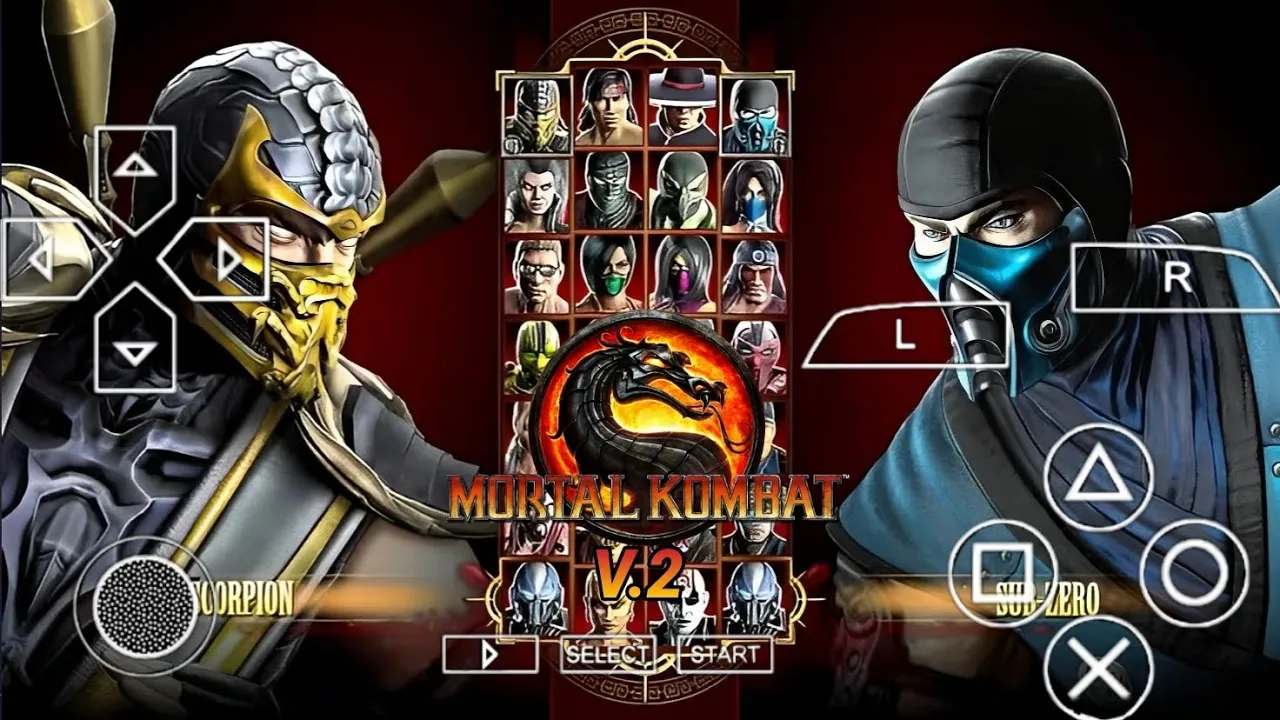
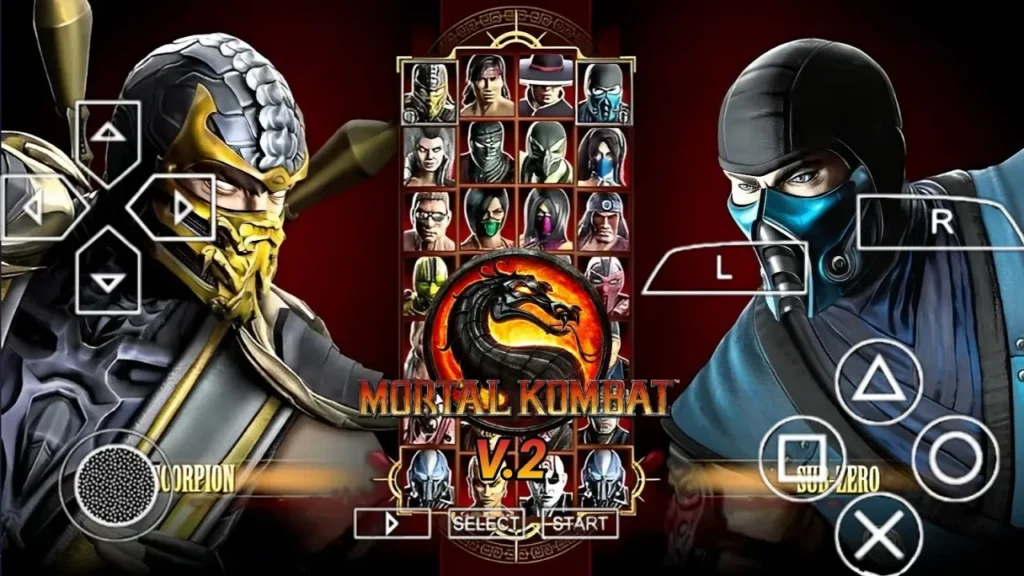
It is important to clarify a technical reality: Mortal Kombat 9 (2011) was never officially released for the PSP. The original game was developed for PS3, Xbox 360, and later ported to the PS Vita. However, the dedicated modding community has created a “Mortal Kombat 9 Mod” by using the Mortal Kombat: Unchained (PSP) engine as a base. This allows you to experience the MK9 aesthetic, rosters, and UI on the PPSSPP emulator.
Gameplay: The MK9 Experience on Mobile
The Mortal Kombat 9 PPSSPP Mod transforms the classic 3D fighter into a 2011-themed powerhouse.
- Character Roster: While based on Unchained, the mod features reskinned characters to match their MK9 designs (e.g., Scorpion’s MK9 armor, Sub-Zero’s updated look).
- Speed and Fluidity: The mod is optimized for 60FPS on most Android devices, making the combat feel much faster than the original 2006 PSP release.
- Special Moves: Traditional inputs remain, but with updated visual effects (FX) to mimic the X-Ray and power-meter vibe of the Ninth installment.
Features: High-Definition Updates
This modded ISO package includes several enhancements:
- MK9 UI & Menu: The entire interface has been redesigned with the dark obsidian and blood-red theme of the 2011 game.
- HD Textures: Custom textures for arenas like “The Pit” and “The Courtyard” have been upscaled for 1080p and 4K displays.
- Unlockable Characters: Most versions of this mod come with a Save Data file that unlocks all fighters, including NPCs and boss characters like Shao Kahn.
- Audio Pack: Some versions include ripped audio files from the 2011 console game for character select quotes and sound effects.
How to Install: Step-by-Step Instructions
To run the Mortal Kombat 9 Mod successfully, you need the base ISO and the specific Texture/SaveData folders:
- Download: Obtain the MK9_Mod_Unchained.iso and the TEXTURES/SAVEDATA zip files.
- ISO Placement: Move the ISO file to your Internal Storage > PSP > GAME folder.
- Textures: Extract the textures zip and move the folder inside to Internal Storage > PSP > TEXTURES.
- Save Data: Move the SaveData folder to Internal Storage > PSP > SAVEDATA.
- Emulator Setup:
- Open PPSSPP.
- Go to Settings > System > Enable Cheats (often required for certain character mods).
- Go to Tools > Developer Tools and ensure “Replace Textures” is checked.
Optimized Settings for PPSSPP
If you experience lag during fatalities or heavy action, try these adjustments:
- Backend: Vulkan (Highly recommended for modern Android).
- Rendering Resolution: 2x or 3x PSP.
- Frame Skipping: Off (or 1 if on a low-end device).
- Hardware Transform: Enabled.
FAQ: Common Questions
Why don’t I see the MK9 graphics?
This is almost always due to the Textures folder. The folder name must match the Game ID of your ISO (e.g., ULUS10102). If the name is different, the HD textures will not load, and you will see the original 2006 graphics.
Can I play the Story Mode?
Since this is a mod of Mortal Kombat: Unchained, you will play the “Konquest” or Arcade modes rather than the cinematic story mode found in the actual MK9.
Is there an alternative?
If you have a high-end Android device, you can use the Vita3K emulator to play the actual Mortal Kombat: Komplete Edition (PS Vita version), which is the true Mortal Kombat 9 port.
Conclusion: The Best Offline Alternative
While a native PSP port of Mortal Kombat 9 doesn’t exist, the MK9 Mod for PPSSPP is a fantastic tribute. It provides the visual flair, updated roster, and technical speed of the 2011 reboot within a lightweight, highly compatible format. For fans looking to take the “Kombat” experience on the go without an internet connection, this mod remains the top choice.