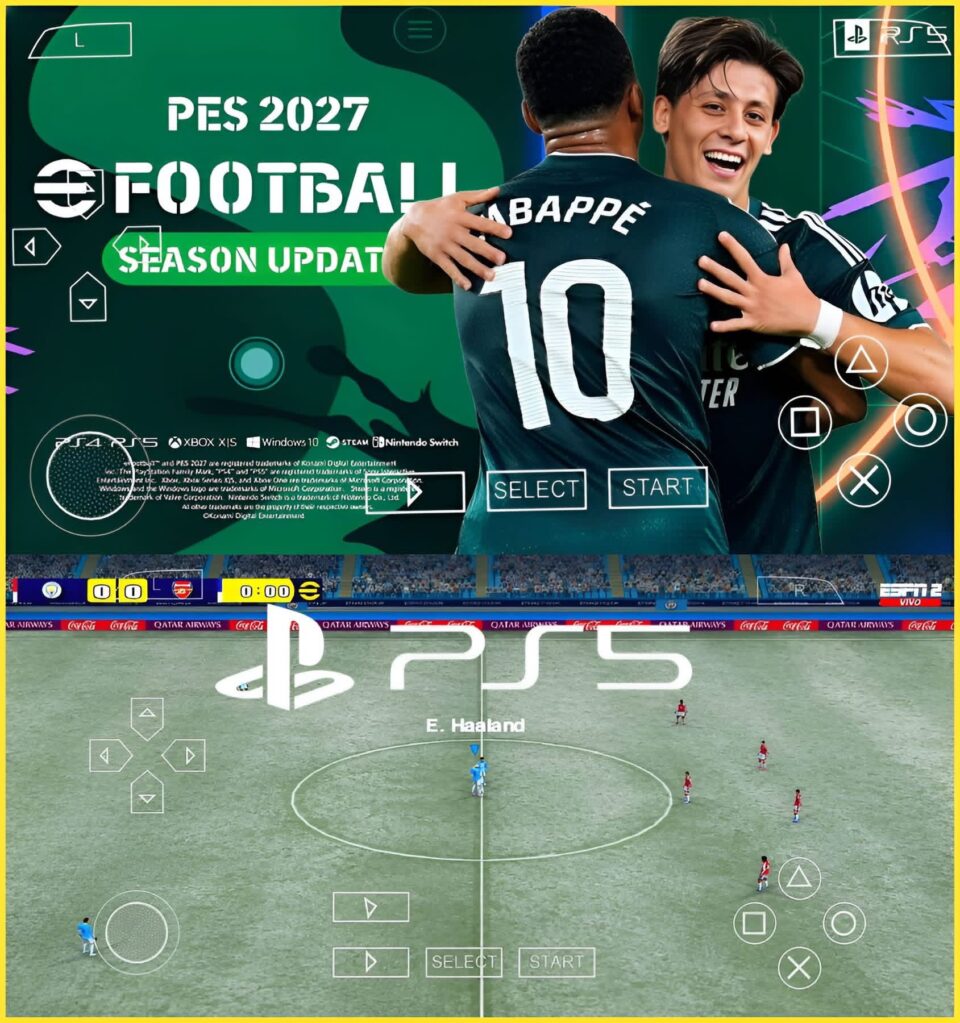
Looking for eFootball PES 2026 PPSSPP Android Offline with Best Graphics? This community-made PPSSPP football package includes the main eFootball 2026-27 PSP ISO, a large Textures + SaveData package, and an optional PS5 Camera Pack.
The supplied main archive is named efootball 2026-27 PSP ISO BETEGAMING.rar and is listed at 596.17 MB. The Textures + SaveData archive is 1.15 GB, while the Camera Pack is 6.66 MB. (MediaFire)
Important: This is a community-made PPSSPP football update and is not an official Konami release.
⚽ eFootball PES 2026 PPSSPP Features
According to the supplied package, you get:
- 🎮 PPSSPP football gameplay
- ⚽ eFootball 2026-27 themed update
- 🎨 High-quality textures
- 💾 SaveData
- 📷 Optional PS5 Camera Pack
- 📱 Android offline gameplay
- 🆕 Updated community content
- 🗜️ RAR archives for easy extraction
The Textures + SaveData package is specifically named EFOOTBALL 2026 PSP TEXTURES+ SAVEDATA BETEGAMING.rar, while the separate camera archive is named CAMERA pack.rar. (MediaFire)
📦 File Information
🎮 Main Game
File: efootball 2026-27 PSP ISO BETEGAMING.rar
Size: 596.17 MB
Format: RAR Archive (MediaFire)
🎨 Textures + SaveData
File: EFOOTBALL 2026 PSP TEXTURES+ SAVEDATA BETEGAMING.rar
Size: 1.15 GB
Format: RAR Archive (MediaFire)
📷 PS5 Camera Pack
File: CAMERA pack.rar
Size: 6.66 MB
Format: RAR Archive (MediaFire)
💾 Approximate Download Size
All three files total approximately 1.75 GB before extraction.
Make sure your phone has considerably more free storage available because the archives will need additional space during extraction.
📱 How to Install eFootball PES 2026 PPSSPP
Step 1 — Download the Files
Download the following:
- Main Game
- Textures + SaveData
- PS5 Camera Pack — optional
The download buttons are provided separately below.
Step 2 — Open ZArchiver
Install and open ZArchiver on your Android device.
Go to:
Internal Storage/Download
Locate the downloaded RAR files.
Step 3 — Extract the Main Game
Find:
efootball 2026-27 PSP ISO BETEGAMING.rar
Tap the archive and select Extract here.
Wait for the extraction to finish.
Look inside the extracted folder for the PSP game ISO, normally ending with:
.iso
Step 4 — Move the ISO
Create or use:
Internal Storage/PSP/ISO
Move the extracted eFootball ISO into that folder.
Do not extract the ISO itself.
Step 5 — Extract Textures + SaveData
Find:
EFOOTBALL 2026 PSP TEXTURES+ SAVEDATA BETEGAMING.rar
Tap it → Extract here.
The archive is approximately 1.15 GB, so extraction may take some time. (MediaFire)
Open the extracted folder and identify the included texture and SaveData folders.
Step 6 — Install SaveData
If the package contains a SAVEDATA folder, copy it to the appropriate PPSSPP location:
Internal Storage/PSP/SAVEDATA
Keep the folder names and structure intact.
Step 7 — Install Textures
If the package contains PPSSPP texture replacement files, copy them according to the folder structure supplied with the archive.
Don’t randomly rename the texture folders because PPSSPP texture replacement depends on the correct directory structure.
Step 8 — Install the PS5 Camera
Find:
CAMERA pack.rar
Tap → Extract here.
The Camera Pack is only 6.66 MB. (MediaFire)
Copy the extracted camera files to the location specified by the package’s folder structure.
Step 9 — Open PPSSPP
Launch PPSSPP.
Browse to:
PSP/ISO
Select the eFootball ISO and start the game.
Step 10 — Check the Graphics
If the updated textures aren’t showing:
- Close the game.
- Check the texture folder location.
- Make sure the PPSSPP texture replacement option required by the package is enabled.
- Restart PPSSPP.
- Test the game again.
📢 Download Notice
An advertisement or pop-up may appear when you click a download button. Simply close or cancel the advertisement and continue to your intended download destination.
MediaFire specifically states that its download button can display an advertiser message in a new window. (MediaFire)
⚙️ Performance Tips
For better performance on Android:
- Close unnecessary background apps.
- Avoid heavy screen recording while playing.
- Reduce rendering resolution if you experience lag.
- Keep enough free storage.
- Avoid installing unnecessary texture packs if your device has limited RAM.
- Restart PPSSPP after installing the textures and SaveData.
For lower-end phones, using moderate graphics settings may provide a smoother experience than maximizing every PPSSPP enhancement.
❓ Frequently Asked Questions
Is this an official eFootball PES 2026 release?
No. It is a community-made PPSSPP football update and is not an official Konami release.
How large is the main game?
The main RAR archive is 596.17 MB. (MediaFire)
How large are the textures and SaveData?
The Textures + SaveData archive is 1.15 GB. (MediaFire)
How large is the PS5 Camera Pack?
The Camera Pack is 6.66 MB. (MediaFire)
Do I need the Camera Pack?
It is an optional additional camera package. The main game and Textures + SaveData are the primary files for the setup.
Can I play it offline?
The package is intended for PPSSPP Android gameplay and is presented as an offline setup. Actual functionality can depend on the supplied community files.
⚠️ Disclaimer
This is a community-made PPSSPP football package and is not affiliated with or endorsed by Konami. The features and update content described here are based on the supplied file names and hosting information. File contents and compatibility can vary between community releases. Download and install files at your own discretion.
💾 Make sure you have enough free storage before extraction
